Turkey (Türkçe)

On older-generation physical servers the remote screen is still delivered through Java Web Start technology. Chrome and Edge have not run the Java plugin for years; the Java 8 security policy also stops unsigned or self-signed BMC applications by default. The result is a classic: Application blocked by Java security. This guide explains step by step how to connect to the IPMI / iDRAC / iLO / BMC console with Java on a dedicated (physical) server, and why adding the server IP and the IPMI IP to Java's trusted list (the Exception Site List) removes this block.
https:// in each case. If the JNLP comes from the panel, https://konsol.sistemdc.com and https://www.sistemdc.com should be on the list too. If possible keep IPMI on a separate management IP; that way Java talks only to the address you allow, and proxies and antivirus scanners on the general network do not break the console. If the hardware supports HTML5, see the HTML5 KVM guide first.
If the operating system crashes on a dedicated server, SSH and RDP go with it. The BMC (Baseboard Management Controller) is a separate small controller on the motherboard; it stays up on its own IP even when the server is off. Manufacturers give it different names:
All three do the same job: power on/off, sensors, virtual media (ISO) and KVM over IP (remote keyboard-video-mouse). A VDS does not have this layer; the hypervisor provides VNC. On a dedicated server the card is yours. For plans and stock, see the dedicated server hub.
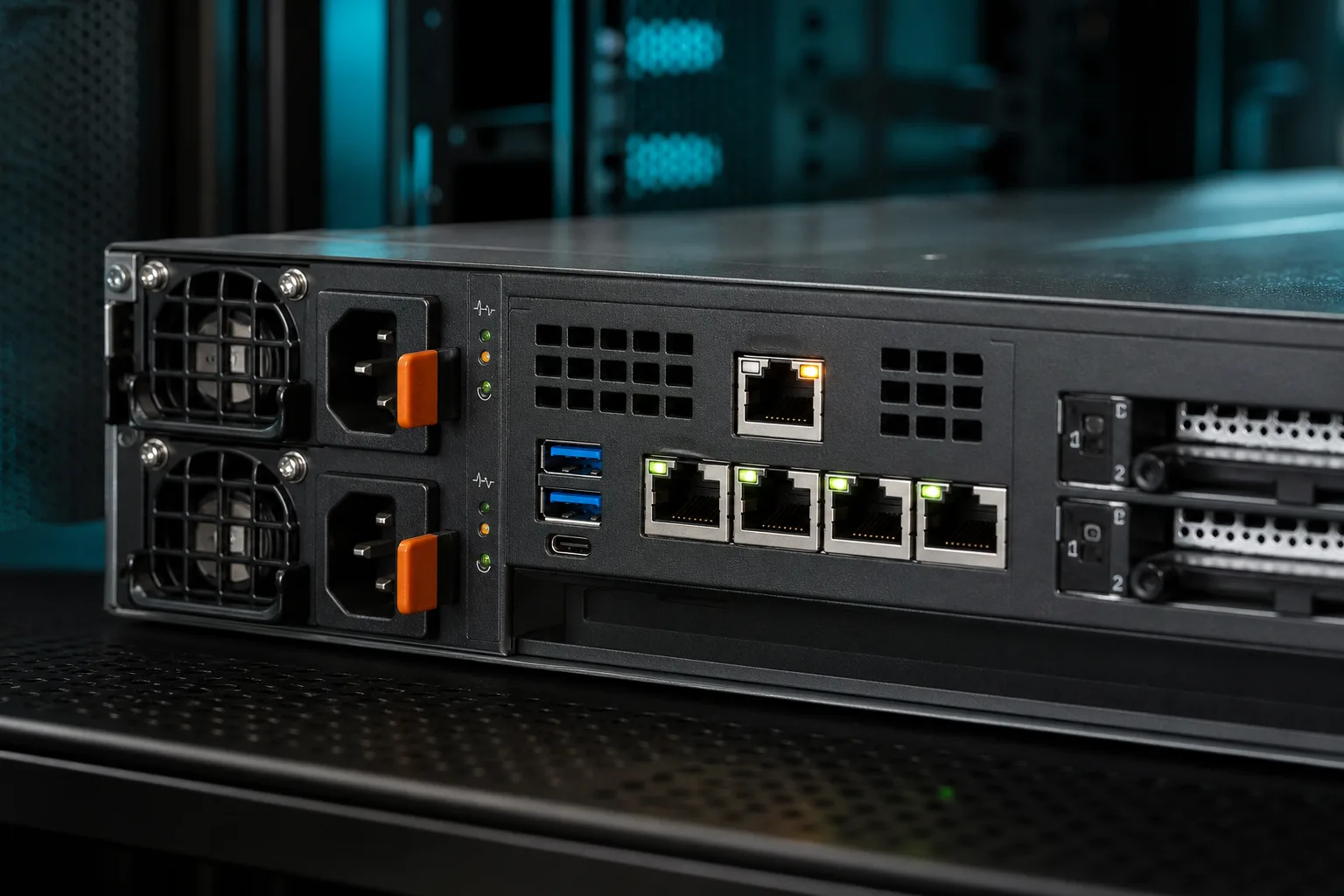
The management port is an RJ45 separate from the production LAN (it can also be shared LAN). The green lights at the back are usually operating system traffic; the BMC's own port lights up separately. This separation explains why the IP-adding step in the next section asks for two addresses.
BMC firmware from the 2010s delivers the console as a Java applet or a .jnlp (Java Web Start) file. Because browsers removed the NPAPI plugin, the applet does not open directly in the page; you download the file and run it with OpenWebStart or Oracle Java 8.
| Hardware / BMC | Typical console | What should you do? |
|---|---|---|
| iLO 2 / 3, iDRAC 6 / 7, older SuperMicro | Java only | The Exception List + OpenWebStart in this guide |
| iLO 4 and above, iDRAC 8 / 9 HTML5 | HTML5 (Java as backup) | HTML5 first; Java if it does not open |
| New-generation Redfish BMC | HTML5 | No Java needed |
Since Java 7u51, unsigned or self-signed applications are blocked by default. BMC manufacturers rarely ship a JAR signed by a public CA; so the Exception Site List is not a security hole but an allow list specific to the BMC. Lowering the global security level to “Medium” opens up all sites; do not do that.
With a dedicated server service, the BMC management IP is not opened directly to the customer network. The console comes through the bridge in the client area. Steps:
.jnlp file — save it and open it.Short knowledge base summary: How do I connect with IPMI / KVM? If it does not open, also see the IPMI / KVM will not open checklist.
Java's “trusted network” is not the Home/Work network in Windows. Its name is the Exception Site List — unsigned or self-signed code runs only from the origins you enter. When you add the server IP and the IPMI IP here, Java treats those two addresses as trusted origins; random sites on the public internet are not affected.
From the service details, copy the server (OS) IP and IPMI / iDRAC / iLO IP values. Then enter the following in the list, without a trailing slash and including the protocol:
| Entry | Example (enter your own IP) | Why? |
|---|---|---|
| IPMI HTTPS | https://203.0.113.10 | Web interface and JAR download |
| Server IP HTTPS | https://203.0.113.20 | The JNLP sometimes takes the OS IP as the codebase |
| IPMI HTTP (only if the BMC uses HTTP) | http://203.0.113.10 | Older firmware still uses HTTP |
| SistemDC console bridge | https://konsol.sistemdc.com | The origin of the JNLP downloaded from the panel |
| SistemDC website | https://www.sistemdc.com | The panel session may serve files from the same origin |
The IPs are examples; use the ones in your own service details. If the warning window shows the host as https://x.x.x.x:443 then add exactly the same spelling to the list. Java's origin matching is strict: http and https, and with-port and without-port, are separate entries.
%ProgramFiles%\Java\jre1.8.0_xxx\bin\javacpl.exe instead.javaws processes, then reopen the .jnlp file.The Oracle Java 8 browser plugin is dead; for JNLP, OpenWebStart is current and maintained. After installation, add the same URLs under OpenWebStart settings > Security / Exception list. Verify that the .jnlp file association belongs to OpenWebStart (Windows: Default apps).
Some iDRAC 6/7 versions still lean on the Internet Explorer engine. If the Java list is not enough:
https://IPMI_IP and https://SERVER_IP addresses.This makes Windows place those IPs in the trusted zone instead of the restricted “Internet” zone. It does not replace the Java Exception List; it complements it.
There are three common reasons Java breaks: (1) signature/certificate, (2) wrong origin, (3) HTTPS inspection on the path. IP separation solves all three.
https://ilo-servername (for example).konsol.sistemdc.com and the public server IP shown in the service — not the IPMI RFC1918 address — to the list. In colocation, on the other hand, the BMC IP is on your management VLAN; add that IP.The Exception List does not mean opening the BMC to the internet. The opposite is true: keep the origin you allow Java as small as possible.
For the distinction between physical access and remote hands, see the Remote Hands guide for details. If the console is not enough, on-site intervention is a separate channel.
| Symptom | What to do |
|---|---|
| Application blocked by Java security | Add the origin from the warning to the Exception List exactly as shown; close javaws completely and reopen. |
| Unable to launch the application / Missing JARs | A mix-up of 32-bit Java and 64-bit JARs. Keep a single 64-bit JRE or only OpenWebStart. |
| Black screen, connection timeout | A corporate firewall may be cutting the console TCP. Try HTML5; in colocation, try again over a VPN. At SistemDC the panel path carries this traffic. |
| Certificate warning (self-signed) | Accept only the IPMI host shown in the service. Do not approve a certificate issued to a different IP. |
| The JNLP downloads as text and does not open | Assign the file association to OpenWebStart; turn off the browser's “always open this type” option. |
If it still does not open, add the service ID, the Java/OpenWebStart version and the full text of the warning to your support ticket. A BMC reset does not bring down the operating system; it only restarts the management controller.
Isn't it easier to lower the Java security level?
Easier, and wrong. Lowering the level loosens all origins. The Exception List opens only your server and IPMI IPs; the rest of Java's policy stays high.
Why both the server IP and the IPMI IP?
The JNLP/JAR usually comes down from the host of the web interface (or the panel bridge); the live KVM session connects to the BMC's own IP (or the bridge). With a single address added, Java blocks the second origin.
Is it the same on macOS or Linux?
The same origin list applies. Add the URLs to the Exception list in the OpenWebStart settings. Oracle Java has no browser plugin on macOS; open the JNLP file with OpenWebStart.
Is Java needed if HTML5 is available?
No. On modern firmware HTML5 is the primary route. Keep Java only for older cards where HTML5 does not exist or the WebSocket is cut. Details: HTML5 KVM guide.
Should I share my IPMI password on the blog?
No. Do not send passwords even in a support ticket unless asked. The credentials field in the panel is enough.
Istanbul location · HTML5 and Java console from the panel · Stormwall DDoS
Dedicated Servers AMD Ryzen Dedicated