Turkey (Türkçe)
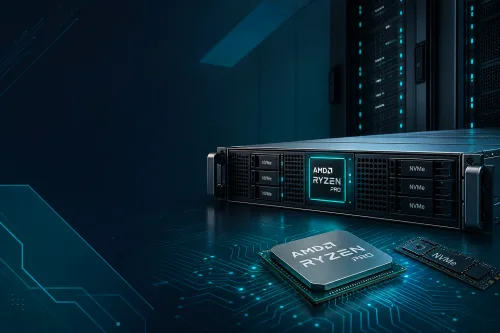
Ryzen dedicated server searches usually carry commercial intent: renting a physical AMD Ryzen node. This article is not a substitute for that order page. Its purpose is to clarify what the dedicated (bare metal) model is, how it differs from the VDS and Xeon options, and the selection checklist. For architectural detail, see the existing how bare metal works guide; for plans and prices, go to the AMD Ryzen dedicated server category.
With a dedicated server, the provider allocates a physical chassis to you. The operating system is installed directly on the hardware; a neighbouring customer's vCore does not eat into your CPU time. “Ryzen” here is the processor family: the Zen architecture, high boost clocks and a profile often used for single- or lightly-threaded work such as gaming, compiling and encoding.
The term bare metal used in the same sentence is not marketing decoration: there is no hypervisor layer. Access to board-level tools such as the BIOS, RAID firmware and IPMI is meaningful in this model. SistemDC's line starts with the Ryzen 7 5700G (8 cores, 32 or 64 GB); at the top end, the Ryzen 9 9950X server (16 cores, 128 GB DDR5) is split into Non-ECC and Business ECC.
For most teams the decision starts with price; the real difference is isolation.
| Criterion | Ryzen VDS | Ryzen dedicated (bare metal) |
|---|---|---|
| Resources | A vCore / RAM slice depending on the plan | The entire physical CPU, RAM and disk |
| Hypervisor | Yes (KVM, etc.) | None |
| IPMI / KVM card | None | Usually included |
| When | Testing, bots, mid-scale gaming | High slot counts, render queues, full control |
A VDS can still run on Ryzen 9950X infrastructure; that does not mean you own all 16 cores. The dedicated vs VDS gaming comparison is in a separate article: 9950X Dedicated vs VDS.
Before ordering, write down these four things. The answers choose the plan, not the marketing copy.
If the processor family is still unclear, see the Ryzen vs Intel Xeon dedicated comparison. For game setup, the Ryzen game server article, and for video work the Ryzen render server article, serve a different intent.
Suitable: Tick-sensitive games such as FiveM / Minecraft / Rust, FFmpeg or NLE queues, a lab where you will install your own hypervisor, a production API that says “no neighbouring VMs”.
Not (or too early): A weekly 2-vCPU bot, WordPress from a panel only, a test with a slot count that is still unclear. For these, a Ryzen VDS or a smaller VPS starts cheaper. If you have your own hardware the model is colocation, not a dedicated server.
SistemDC's entry plan is the R7 5700G 32 GB at 3,500₺/mo. For 16 cores and 128 GB you step up to the 5950X or 9950X. Current cards are on the category page; this guide is not a price list.
Are “Ryzen dedicated server” and “bare metal” the same thing?
Yes. Dedicated, bare metal and physical rental server all describe the same rental model. Ryzen is just the processor family.
Why this article and not the category page?
The category is for ordering and comparing plans. This article answers the “what is it / how do I choose” question; the purchase CTA is in the category.
Is buying a Xeon more “enterprise”?
Enterprise-grade comes from ECC, IPMI, the SLA and the facility, not from the processor logo. For some workloads Xeon offers more cores or platform longevity. Details: the Ryzen vs Xeon article.
How long does delivery take?
Nodes in stock are brought up the same day or within a few hours. The exact time depends on stock at the moment of ordering; no commitment is made up in this article.
R7 5700G from 3,500₺/mo · R9 9950X · Istanbul · Stormwall · IPMI/KVM
AMD Ryzen dedicated server plans