 Turkey (Türkçe)


If you have built a moderation, music or support bot for your Discord community, the next step is clear: the bot needs to be hosted on a server that runs 24/7 — when your computer shuts down, the bot goes offline. That is why developers choose a Node.js VDS for the job. In this guide we cover setting up an approved bot through the Discord Developer Portal, the discord.js deployment steps, keeping it running with PM2, and choosing a SistemDC Ryzen VDS (9950X infrastructure) plan.
Discord bots keep a WebSocket connection open continuously in the background. Problems you run into on a local computer or on free PaaS platforms:
A Ryzen VDS (9950X infrastructure) runs the Node.js event loop efficiently thanks to low latency and dedicated vCores. Ping guide: Turkey Location Ping
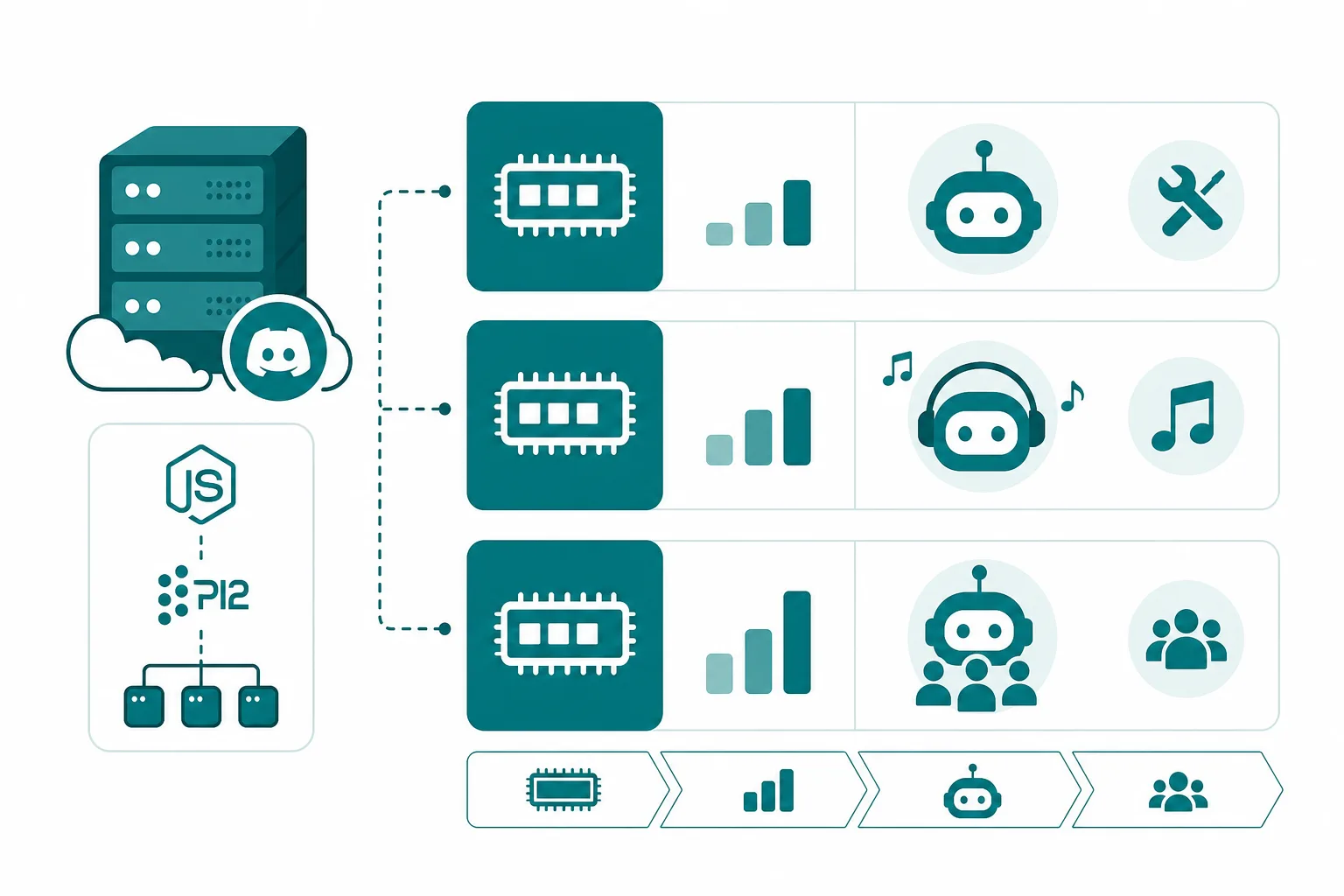
| Bot type | RAM | Example | Plan |
|---|---|---|---|
| Utility / Moderation | 512 MB – 1 GB | Kick/ban, role management | RYZ-S |
| Multi-server bot | 1 – 2 GB | 50+ guild, slash commands | RYZ-M |
| Music (Lavalink) | 2 – 4 GB | FFmpeg + Lavalink node | RYZ-M / RYZ-L |
| Bot + Node.js API | 2 – 4 GB | Express dashboard, webhook | RYZ-M |
A typical setup with Ubuntu/Debian on SistemDC Ryzen VDS plans:
curl -fsSL https://deb.nodesource.com/setup_20.x | sudo -E bash - → apt install nodejsnpm init → npm install discord.js dotenvDISCORD_TOKEN=your_bot_token_here — add it to .gitignore.Use PM2 to restart automatically when the bot crashes:
After a server reboot the bot starts automatically. Follow the logs: pm2 logs discord-bot · Memory limit: pm2 start index.js --max-memory-restart 512M
.env file; do not upload it to GitHub.Many projects run the bot together with a web dashboard. Manage the two processes with a PM2 ecosystem file:
For an Express/Fastify API, add a reverse proxy (Nginx) + Let's Encrypt SSL. Webhook endpoints require HTTPS. 2 GB+ of RAM (RYZ-M) is the recommended minimum for this scenario.
Music bots consume extra RAM/CPU with FFmpeg and a Lavalink node. The bot and Lavalink can run on the same VDS; for 50+ concurrent voice channels consider RYZ-L or a separate Lavalink server. Java-based Lavalink requires JRE 17+ on the server.
Windows or Linux for a Discord bot?
Linux (Ubuntu/Debian) is recommended — it uses less RAM and PM2 runs reliably. A Windows VDS is preferred only for .NET bot projects.
Why a VDS instead of free hosting?
Free-tier platforms put the bot to sleep after inactivity; for production community bots, a VDS with guaranteed 24/7 operation is a must.
Does ping matter for a Discord bot VDS?
Bot command latency depends on the gateway ping. For communities in Turkey, the Istanbul location delivers 5–20 ms.
Can multiple bots run on the same VDS?
Yes. With PM2 each bot is a separate process; keep an eye on total RAM. 3–4 small bots run comfortably on RYZ-M.
Turkey location · Stormwall DDoS · plans starting from RYZ-S · Full Managed support
Rent a 9950X Ryzen VDS Setup GuidesRyzen 9 VDS plan comparison: Ryzen 9 VDS rental plan guide · Ryzen VDS vs standard VDS