 Turkey (Türkçe)

With technology advancing rapidly, projects that require artificial intelligence, machine learning and intensive graphics processing can no longer be served by standard server resources. This is exactly where GPU VDS (Graphics Processing Unit - Virtual Dedicated Server) comes in. So what exactly is a GPU VDS and where is it used? In this guide we will look at everything in detail.
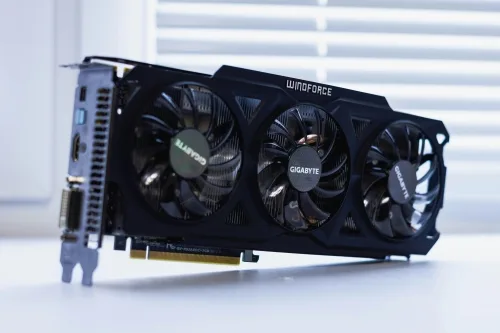
A GPU VDS is a virtual server service that includes a powerful graphics card (GPU). While classic VDS servers focus on processor (CPU) power, a GPU VDS is equipped with graphics card technology capable of parallel processing. This lets it carry out thousands of operations at once and complete complex calculations many times faster than a CPU.
A Simple Analogy: A CPU does a few tasks very quickly at a time, while a GPU carries out thousands of small tasks simultaneously. It is like working with hundreds of people at once instead of one.
GPUs are indispensable tools for training artificial intelligence models. Data scientists and AI developers working with frameworks such as TensorFlow and PyTorch can, thanks to a GPU VDS:
Performance Example: A project where training an image recognition model would take 48 hours on a CPU can be cut to 2-3 hours with a GPU VDS.
A GPU VDS is a great convenience for visual effects studios, architectural visualization firms and independent 3D artists:
Cost Advantage: Instead of an expensive workstation, you can work on a per-project basis by renting a GPU VDS when you need it.
For 4K and 8K video editors, colour grading specialists and content creators, a GPU VDS offers:
Researchers and engineers use GPU power for complex simulations:
Some cryptocurrencies can be mined with a GPU. However, there are points to bear in mind:
Game streaming platforms and high-performance game servers:
Big data processing and analytics:
NVIDIA's GPU computing platform. The industry standard in AI and scientific computing.
A cross-platform parallel programming framework. Supported by NVIDIA and AMD.
A CUDA library optimised for deep learning. The foundation of TensorFlow and PyTorch.
Dedicated processing units for AI calculations in NVIDIA's new-generation GPUs.
VRAM needs vary with the size of the AI models:
More CUDA cores = higher parallel processing capacity
AI Engineers
Animators
Academics
Content Creators
Technology Companies
Gaming Servers
A GPU VDS has parallel processing power and is tens of times faster than a CPU in graphics- and computation-heavy work.
No, the software needs CUDA or OpenCL support. Popular programs such as TensorFlow, PyTorch and Blender offer GPU support.
Yes, you can connect remotely over SSH or RDP and do all of your work.
Basic Linux commands and knowledge of GPU driver installation are enough. Our detailed guides will help you.
No, because the server runs in a remote data center you have no electricity cost.
Yes, you can manage multiple projects depending on the available resources.
It varies by service provider. An hourly usage option is available at SistemDC.
You can track it in real time with the nvidia-smi command or GPU monitoring tools.
A GPU VDS is an indispensable solution for projects that demand heavy processing power, such as artificial intelligence, 3D rendering, video production and scientific computing. Without an expensive hardware investment, you can speed up your work and optimise your costs by renting when you need it.
Especially for professionals working in AI and machine learning, a GPU VDS is the most effective way to accelerate projects and get ahead of the competition. By choosing the right GPU model, sufficient VRAM capacity and a reliable service provider, you can take your work to the next level.
To learn more about GPU VDS or to find the plan that suits you, contact the SistemDC support team.
Get in Touch Now