

What Is a Virtual Server? KVM VDS Guide 2026 | SistemDC

What Is a Virtual Server? KVM VDS/VPS and Windows Virtual Server Guide 2026

What Is a Virtual Server? KVM VDS/VPS and Windows Virtual Server Guide 2026

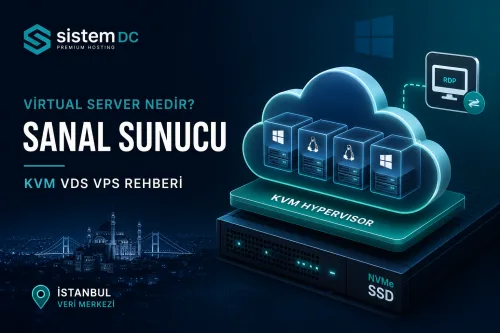
A virtual server (VDS/VPS) is a virtual server service created by partitioning a physical machine with the KVM hypervisor, with CPU, RAM and disk resources dedicated to you. Unlike shared hosting, it offers full administrator/root access, a dedicated IP and the freedom to install any software you want. In this guide we explain what a virtual server is, the advantages of KVM and SistemDC's Windows VPS/VDS infrastructure.

Windows VPS/VDS Plans · VDS rental

What Is a Virtual Server (VDS/VPS)?

A virtual server is an isolated environment created by partitioning a physical server with virtualization technology (KVM). VDS (Virtual Dedicated Server) and VPS (Virtual Private Server) refer to the same service; CPU, RAM and disk are allocated to you.

  • Resource isolation: vCPU and RAM are reserved according to the plan definition; the effect of neighbouring VMs is minimal.
  • Full access: Root on Linux, Administrator privileges on Windows.
  • Dedicated IP: Each virtual server is assigned its own IPv4 address.
  • Flexibility: You can install any software, panel and service you want.

KVM Virtual Server Advantages

SistemDC virtual servers run on the KVM® hypervisor and, compared with OpenVZ or shared hosting, deliver stronger isolation and performance.

  • NVMe SSD: High IOPS for web, database and game servers.
  • 1 Gbps unlimited traffic: Predictable bandwidth; no surprise charges for typical web traffic.
  • Istanbul, built to Tier 3 standards: 5–20 ms ping, 99.8% uptime, KVKK-compliant local data.
  • Instant activation: The server is ready within minutes of ordering.
  • DDoS protection: L3–L7 filtering as standard.

What Is a Windows Virtual Server?

A Windows VPS/VDS is a virtual server on KVM infrastructure with Windows Server or a Windows desktop edition installed. Remote Desktop (RDP) gives you the full Windows experience remotely.

  • IIS & ASP.NET: Enterprise web applications and .NET projects.
  • MSSQL: Windows-based database applications.
  • RDP access: Manage from anywhere with remote desktop.
  • Active Directory testing: Corporate environment simulation.
  • Game servers: Windows-native game servers (Minecraft, MTA, CS).

Supported editions: Windows Server 2025/2022/2019/2016, Windows 11/10 Pro and Enterprise.

The Difference Between Shared Hosting, VDS and Dedicated

  • Shared hosting: The cheapest; resources are shared and there is no root access.
  • Virtual server (VDS/VPS): Mid-range; isolated resources, full control, scalable.
  • Dedicated server: The physical machine is entirely yours; the highest performance.

For blogs, e-commerce, APIs, game servers and business applications, a virtual server is usually the most balanced option. Comparison: VPS or Dedicated Server?

Who Is a Virtual Server For?

  • Blogs, landing pages and small WordPress projects
  • WooCommerce and mid-sized e-commerce stores
  • ASP.NET, IIS and MSSQL business applications
  • Node.js, Python API and SaaS projects
  • Minecraft, MTA and game server operators
  • Test, staging and agency client projects

Frequently Asked Questions

Is there a difference between VDS and VPS? No. Both refer to a virtual server service.

Is RDP available on a Windows virtual server? Yes. Remote Desktop provides full remote Windows access.

Which plan should I choose? Plan comparison from WIN-S to WIN-XL: Windows VPS/VDS Plan Selection Guide

Get Started with Windows VPS/VDS

Istanbul, built to Tier 3 standards · KVM · NVMe SSD · RDP access · prices from 300₺.

Windows VPS/VDS Plans

Server packages covered in this article

+902243340242