Turkey (Türkçe)
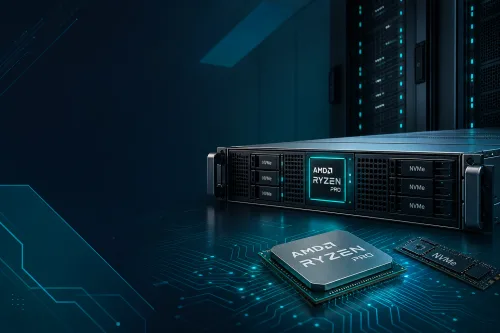
Proxmox can be installed on Ryzen dedicated. Because the node already comes without a hypervisor, writing the ISO from IPMI/KVM or the rescue environment is your job; do not expect a “Proxmox template” from the VDS panel. This article does not copy every menu step by step. The aim: when Proxmox makes sense, which Ryzen plan, and how to think about IOMMU and disks. Hardware: AMD Ryzen bare metal servers. Model summary: 2026 dedicated guide.
The machine you rent is already bare metal. Adding Proxmox means dividing that physical CPU/RAM/NVMe into a KVM+LXC layer under your control. There are no neighbouring customers; the “noisy neighbor” is your own VM.
What this means: snapshots, separate network bridges, test/prod isolation. The cost: hypervisor time, memory loss (each VM's OS) and one more layer to back up. A single process (game tick, a single FFmpeg) gains no speed from Proxmox.
There is no 12-core Ryzen 7900 sold on SistemDC's line. The 16C SKUs available for virtualization are the 5950X and 9950X.
The 9950X's core/clock summary: Ryzen 9 9950X server. Disk layout: NVMe SSD guide.
The first tasks after installation: root password, SSH key, backup target (separate object storage or a second disk). Without a hypervisor backup, snapshots will not save you from a disk failure.
For PCI passthrough (GPU, NIC, HBA), IOMMU must be enabled on the motherboard and in the BIOS. With a Ryzen desktop chip + server motherboard combination this is not “guaranteed on every consumer board”; check the BMC/BIOS menu of the node you ordered.
If you want GPU passthrough, this category is not GPU servers with cards. Ryzen dedicated plans have no GPU. For CUDA/NVENC work you move to the GPU line; Proxmox does not create that card “out of hardware that does not exist”.
CPU pinning: giving a game VM 4–8 cores and the rest to the DB/panel yields a more predictable tick than “splitting 16 cores equally among 8 VMs”. Overcommitting RAM is a swap storm in production.
Can Proxmox be installed on a VDS?
Unless nested virtualization is enabled, KVM inside KVM is disabled or slow with most providers. This article is for bare metal dedicated, not a nested lab.
Is Xeon a better fit for a hypervisor?
For a farm that wants multiple sockets, plenty of PCIe and ECC by default, the Xeon/EPYC class is evaluated separately. A 16C Ryzen is enough for a homelab and a moderate number of VMs. The decision: Ryzen vs Intel Xeon.
Should I run the game server inside a VM?
It works; there is added latency and core sharing. For a single world + DDoS, most teams install the OS on bare metal. General framework: Ryzen game server.
Is ZFS a must?
No. ZFS eats RAM; under 64 GB, an aggressive ARC + multiple VMs get squeezed. LVM-thin is also valid.